Help

Categories
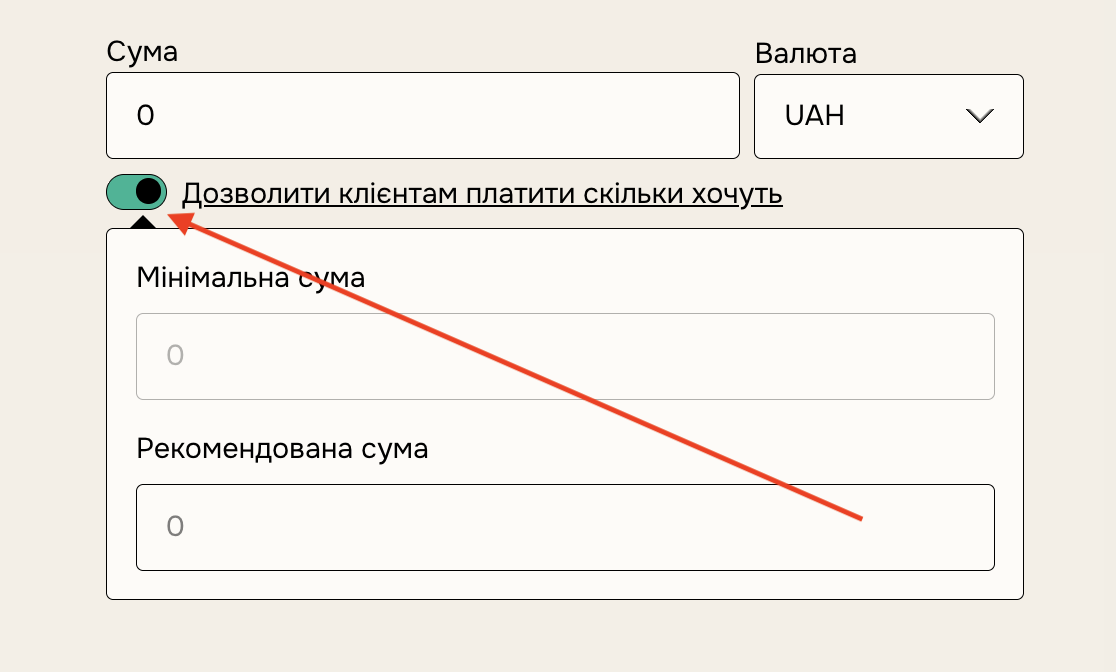
'Pay what you want' pricing
In this article:
To allow your customers to name their own price for your product, simply enter "0+" as the price. Your customers can enter "0" to pay nothing, but if they choose to pay, they have to pay at least $0.99 (USD).
If you'd like to set a lowest possible donation price, simply enter that number followed by "+"
Suggest a Price
You can also set a "suggested" price that Customers will see when entering their donation amount. Change this by typing your price in the Suggested Amount box, then Save changes to make these settings go live.
Create a free product
There are two ways to make a product free on BlackSea:
- You can use our PWYW feature and set a price of $0+ for your products, allowing customers to enter “0" for the price and access your product for free.
- You can send customers a 100% off discount code.
Note: You cannot price a product at $0 without the PWYW feature, and they have a lower file-size limit. We also don’t take any fee on free product sales.