Help

Guide to buying on BlackSea
In this article:
- Payment methods
- Is BlackSea safe?
- Do I need an account to buy?
- Profile page vs product page
- How to read the payment form
- Common errors
- After a successful purchase
Payment methods
You can pay for a purchase on BlackSea quickly and conveniently with cards from Ukrainian and international banks.
| What you can pay with | What you can't pay with |
|---|---|
| Visa (including Visa Electron) | Cryptocurrency |
| Mastercard (including Maestro) | Cash or hand-to-hand transfer |
| Cards from any Ukrainian bank (Monobank, PrivatBank, etc.) | Reloadable store gift cards |
| Apple Pay and Google Pay | Reward and cashback points |
Some banks have strict rules for online payments. If a payment doesn't go through, check that online transactions are allowed for your card, or contact your bank.
Is BlackSea safe?
Yes. Payments are protected with TLS encryption, and processing happens on the payment providers' side under the PCI DSS standard. BlackSea does not store your card data. Learn more here.
Do I need an account to buy?
No, you don't need an account! Just pay for the product and you're done. We'll send you a receipt with a link to your content.
Want to create an account later so you can access your files anytime? You can do that here.
Profile page vs product page
See several products, the seller's bio, and a profile photo? That means you're on a BlackSea seller's profile page:
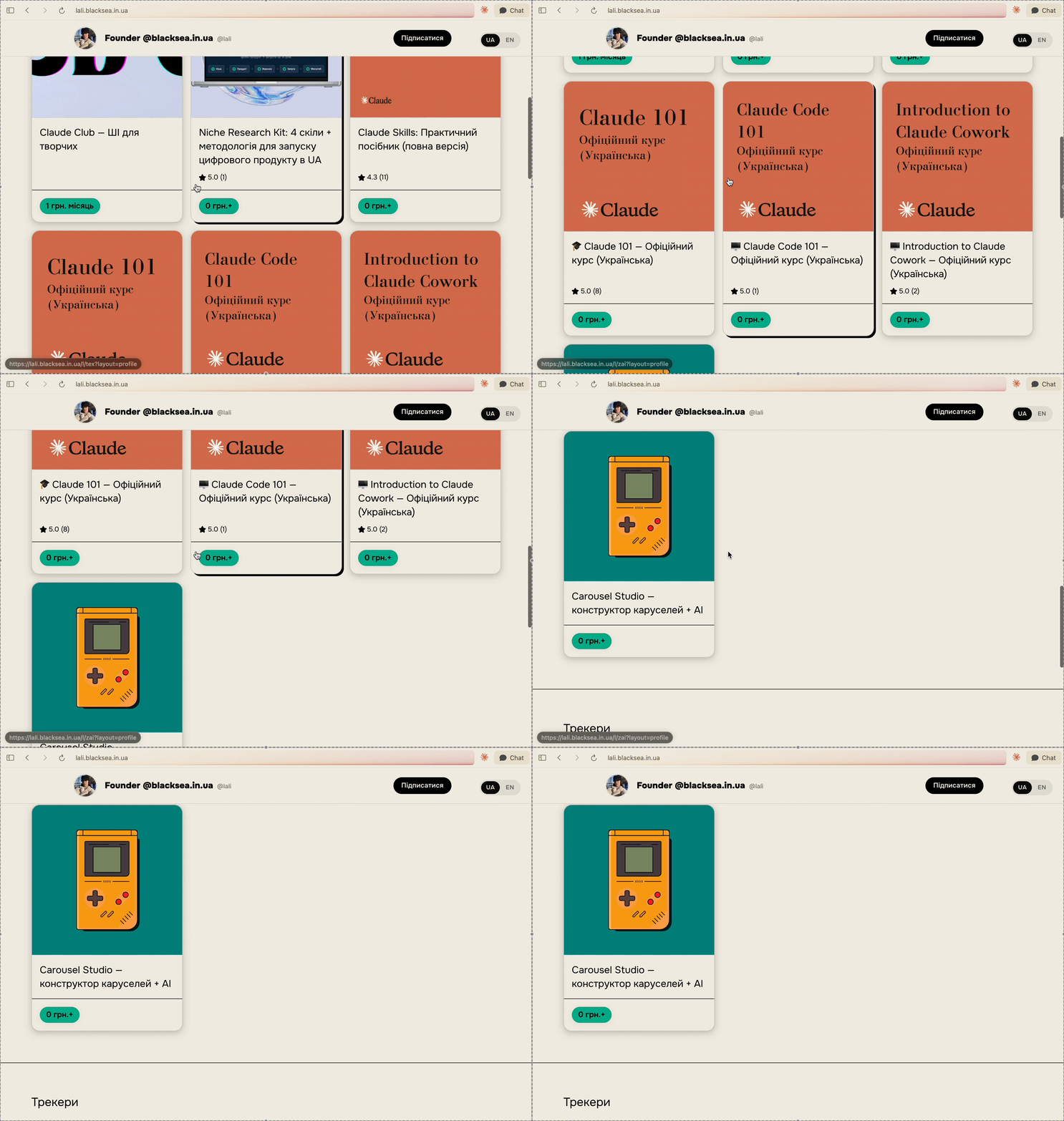
To buy a product from a profile page, just click the product you want — you'll see a more detailed description and possibly a few options to choose from.
Below is an example of a membership product, where you regularly receive content from the seller (in this example, for a monthly fee).
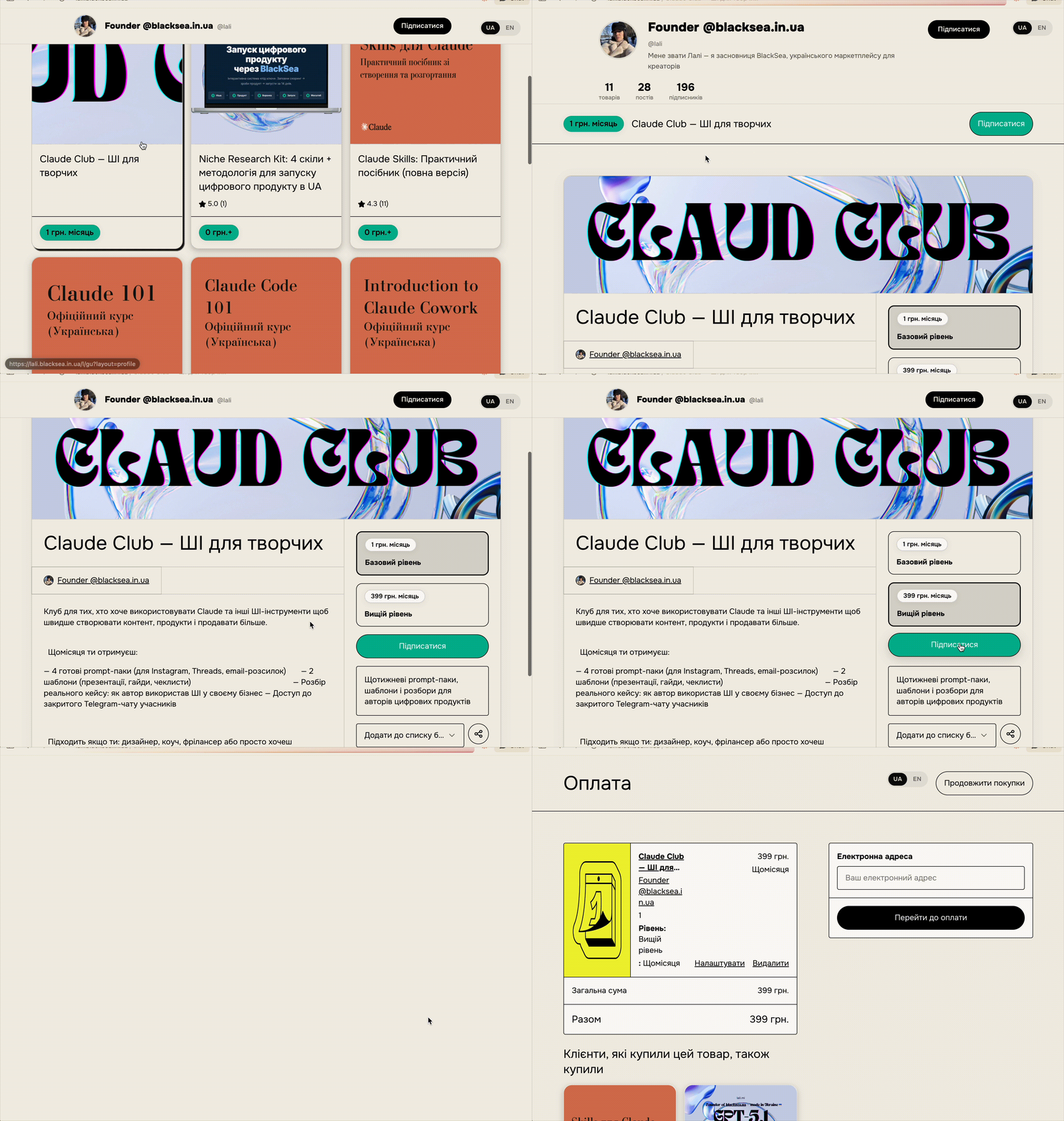
Like what you see? Click "Buy" (one-time payment) or "Subscribe" (recurring subscription)!
How to read the payment form
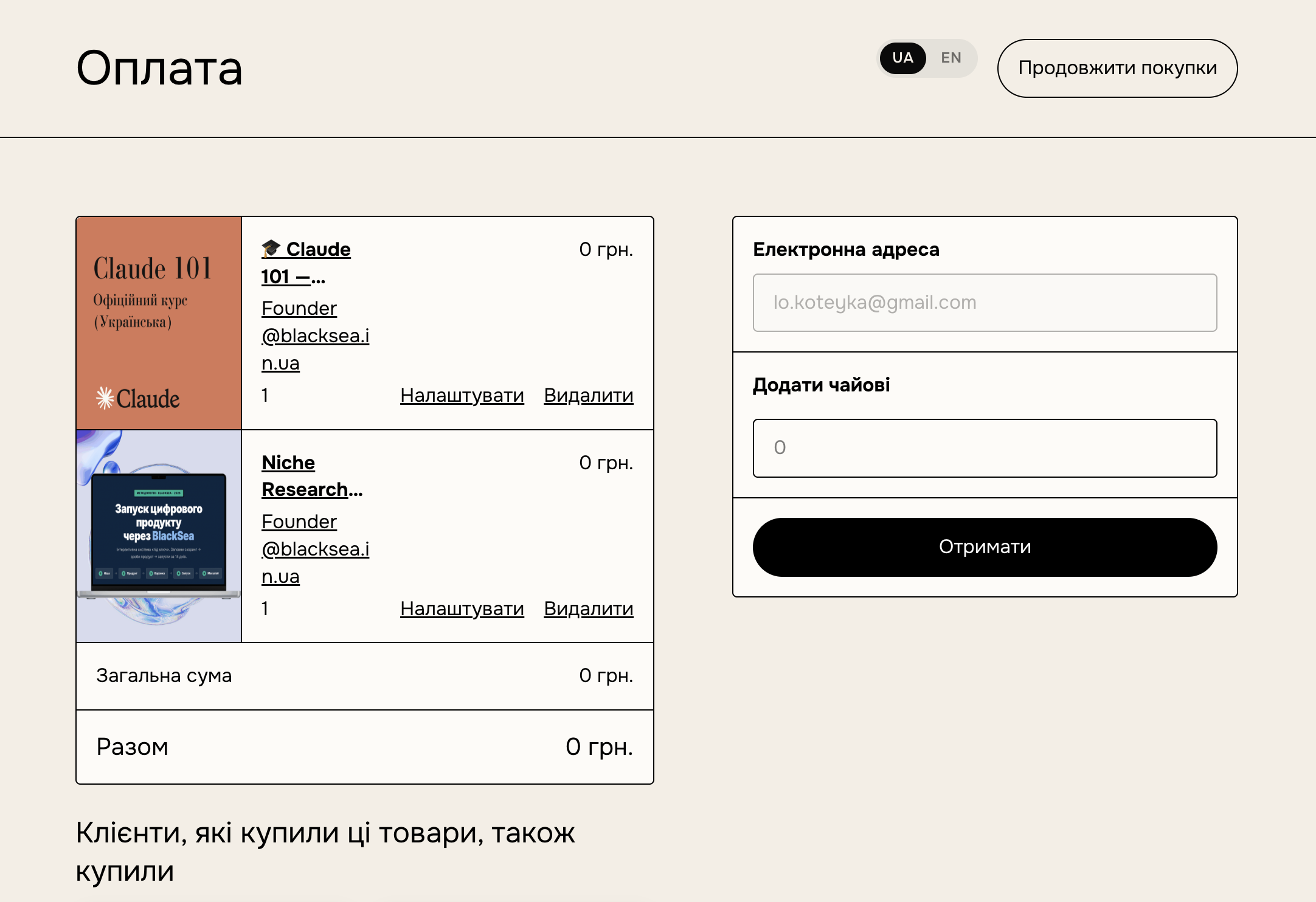
- Email: this is where you'll get your receipt, invoice, and the link to download the product.
- Gift: this toggle lets you send the product to a friend. The receipt comes to you, and the product goes to your friend. Note: memberships can't be gifted at the moment.
- Discount code:* if this product has a discount-code field enabled and you know the code, enter it and wait a few seconds for the price to update.
- Card number: the main step — entering your card details. Depending on your bank's rules, an extra check may be needed to confirm (for example, a 3D-Secure code from an SMS).
*You may not see some of these fields — it depends on the product type and the seller's settings.
Common errors
If you don't fill in all the form fields, they'll be highlighted and you won't be able to continue. But there can be other reasons too. Learn more in this article. In short, a payment may not go through because of:
- Wrong CVV: if you entered the wrong three-digit code from the back of your card, the payment won't go through. Double-check all your card details before paying.
- 3D-Secure confirmation: your bank may send an SMS with a code to confirm that you're the one using the card. Enter this code to complete the payment.
- Bank restrictions: sometimes the bank blocks the online payment. This is usually resolved with a quick call to the bank asking them to allow the transaction.
After a successful purchase
You'll see a success message, and the receipt will arrive in your inbox.
Check your email address. Is there a typo? Then let us know which address the product should be sent to. Even if you don't remember the typo you made in the address — don't worry, we'll find your purchase and fix everything.
After a purchase, you can set a password and create a BlackSea account to use your library — and access the product anytime. If you buy a membership, an account is created during the purchase.