Help

Categories
Product ratings and reviews
In this article:
- Get customers to leave a rating
- View your ratings
- Add reviews to product descriptions
- Organize products by rating on your profile
- How to remove ratings
Customers can rate a product and leave a written review within one year of their purchase.
Ratings are visible on both the profile page and the individual product pages:
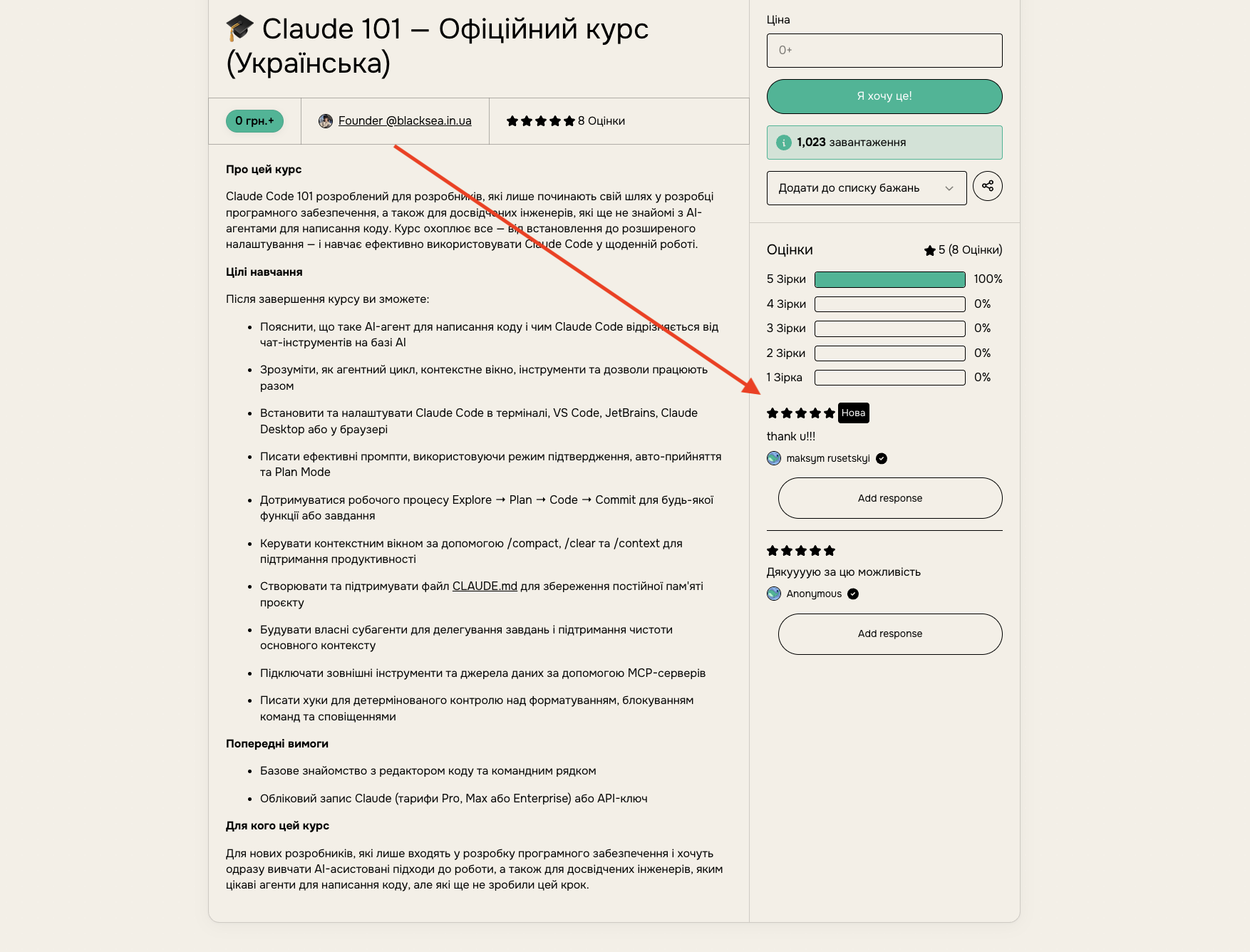
Get customers to leave a rating
Customers can also leave a review on the product's content page, or from the product page if they're logged in to BlackSea.
For memberships with a free trial, reviews are available only after the first successful charge, not at the start of the trial.
View your ratings
If a customer has left a rating, you'll see it in the customer's card on the Sales dashboard. You can also respond to a review by clicking "Respond".
This is a great tool for responding to dissatisfied customers and informing prospective buyers about fixes to previous issues.
Add reviews to product descriptions
You can embed reviews in a product description:
- open the product description editor;
- click "Insert" and select "Reviews" from the dropdown menu;
- choose the reviews you want;
- drag the review to the position you want.
Organize products by rating on your profile
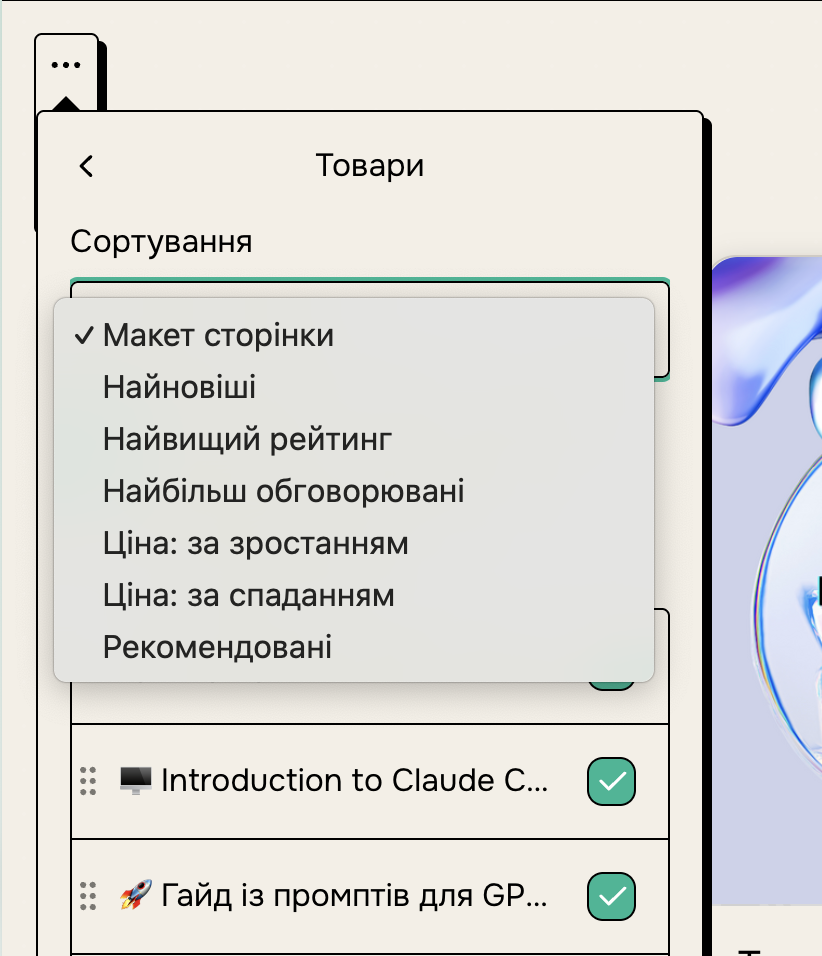
You can sort products by rating on your profile page by choosing "Highest rated" as the default sort order.
How to remove ratings
To remove a rating, you can refund the purchase. For memberships, it's enough to refund the first charge, not all the recurring ones. In the case of a free download, you can revoke access to remove the rating.
A partial refund does not remove a customer's rating.
A refunded purchase no longer counts toward the product's average rating, but it remains visible in your sales dashboard.
You can also ask customers to re-rate the product.
To stop ratings from being shown on a product, go to the product edit page, the "Share" tab, and scroll to the Discover settings. There you can turn off the display of ratings.

Customers can still rate your products, but those ratings will be private.
Note: in that case, your product will no longer appear in Discover search.