Help

Categories
Unpublish or delete a product
In this article:
How to unpublish a product
To unpublish a product,
- Go to the Products dashboard,
- Select the product you want to unpublish
Click the "Unpublish" button at the top of the page.
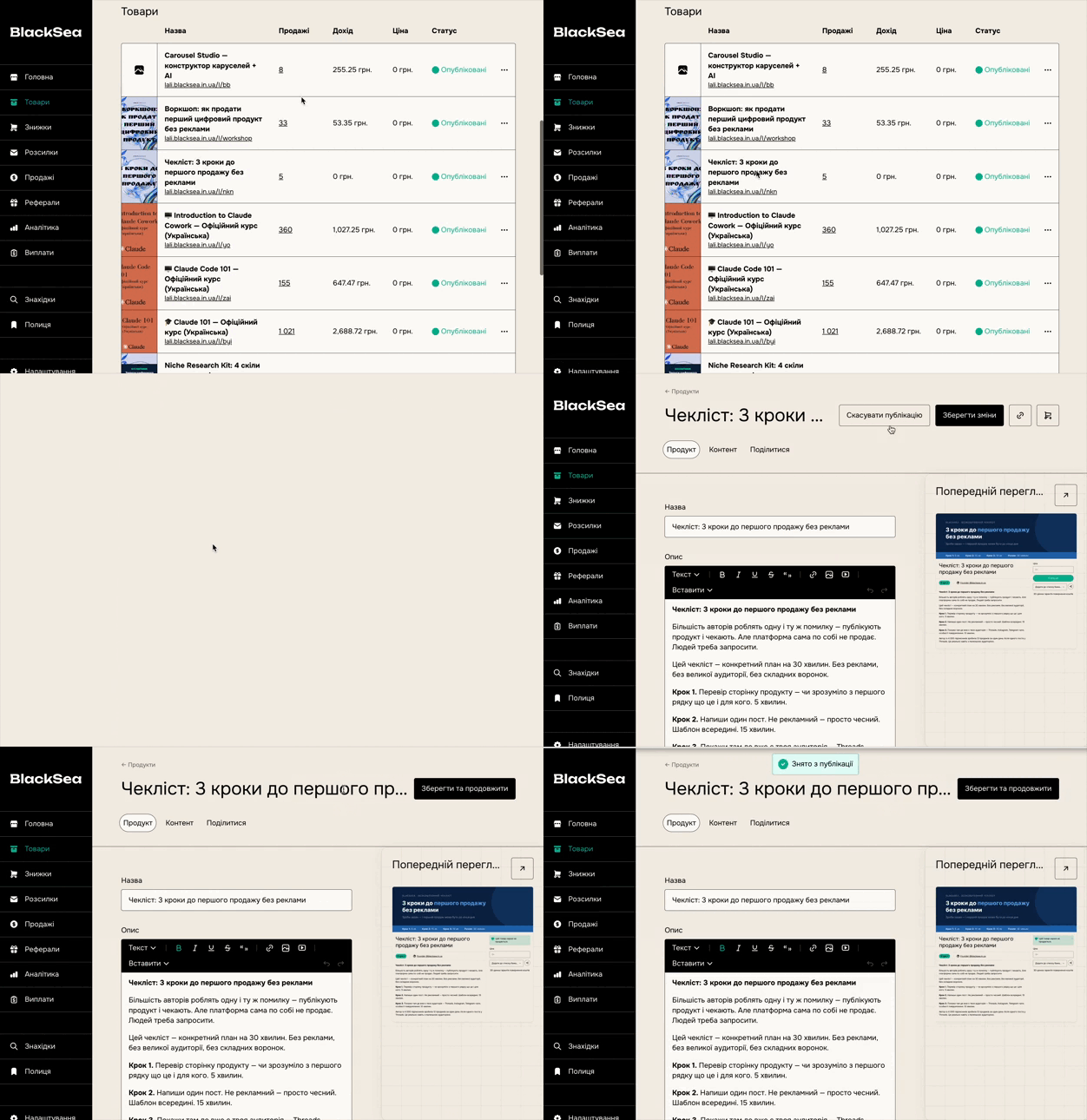
When you unpublish a product:
- Customers will no longer be able to buy it.
- The product is removed from BlackSea Discover.
Unpublishing does not delete your product or any associated data. Your product will remain just as you designed it; this simply removes the product from customers' view.
Customers who have purchased the product will still have access to their files.
How to delete a product
To delete one of your products, go to the Products dashboard, hover over the status, and then click the red "Delete" button that appears on the right. After deleting, you'll have a few minutes to undo this action from the footer of the same page.
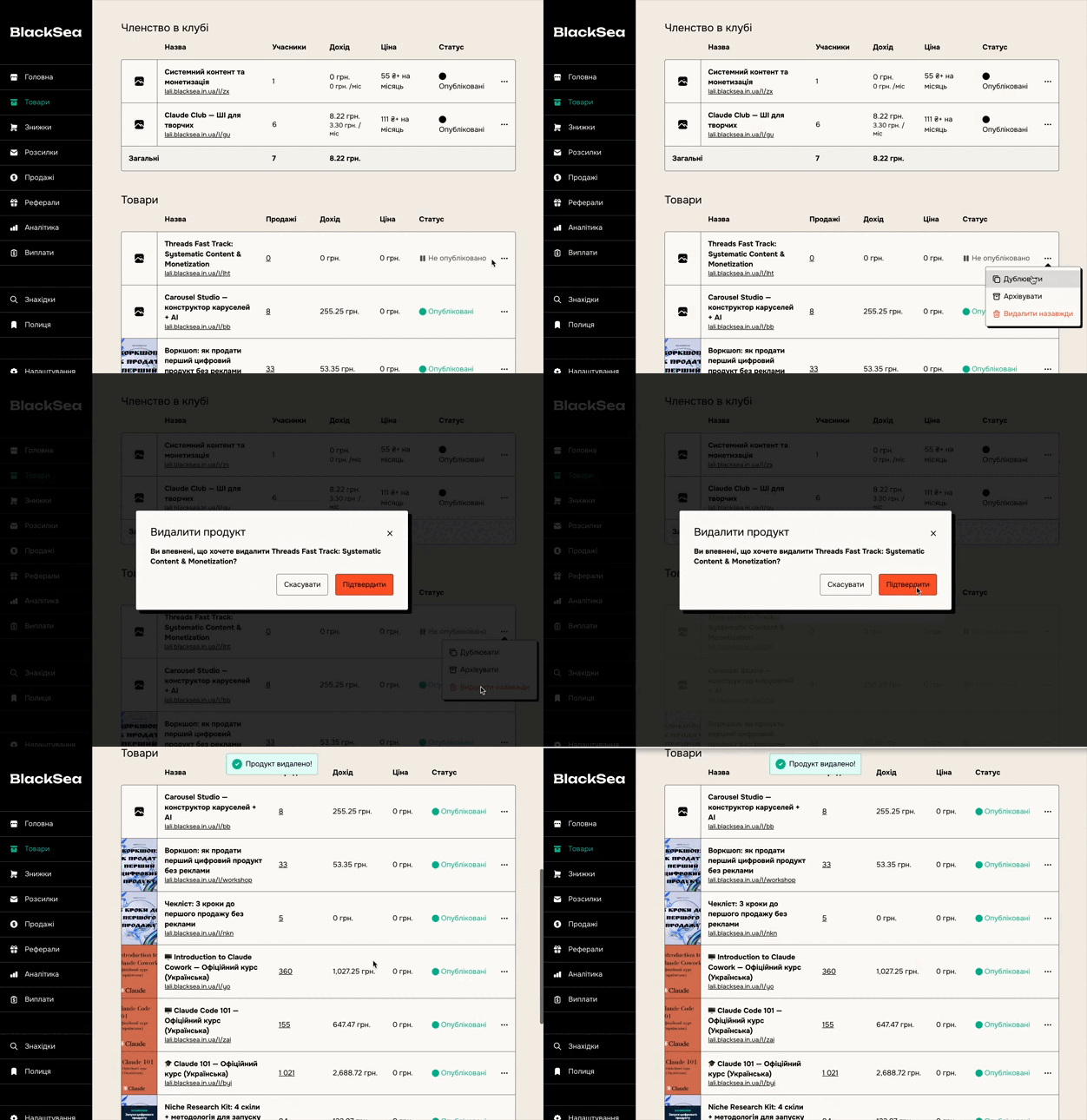
If you're unsure about deleting a product, contact us and we can restore it for you.
After deleting the product
Your customers will still have access to the files they purchased, but you won't be able to see them on the "Audience" tab. They also won't appear in the exported CSV of your sales.
Deleting a membership product
Deleting a membership product cancels the subscription for everyone.