Help

Categories
Create an application for the API
In this article:
To create an application for general use, you'll need to build a Redirect URI handler to generate access tokens for each of your users. However, if you only want to use the API on your own BlackSea account, you can manually generate an access token, which is a simpler process.
For just your account
If you're writing some custom code you need to run with your BlackSea account, all you need is an access token. Your access token is used in the request header of every request to the API and should be kept secret, like a password.
Generating an access token
First, sign in to your BlackSea account. Then, go to advanced settings. Here, you'll see a form to create a new application.
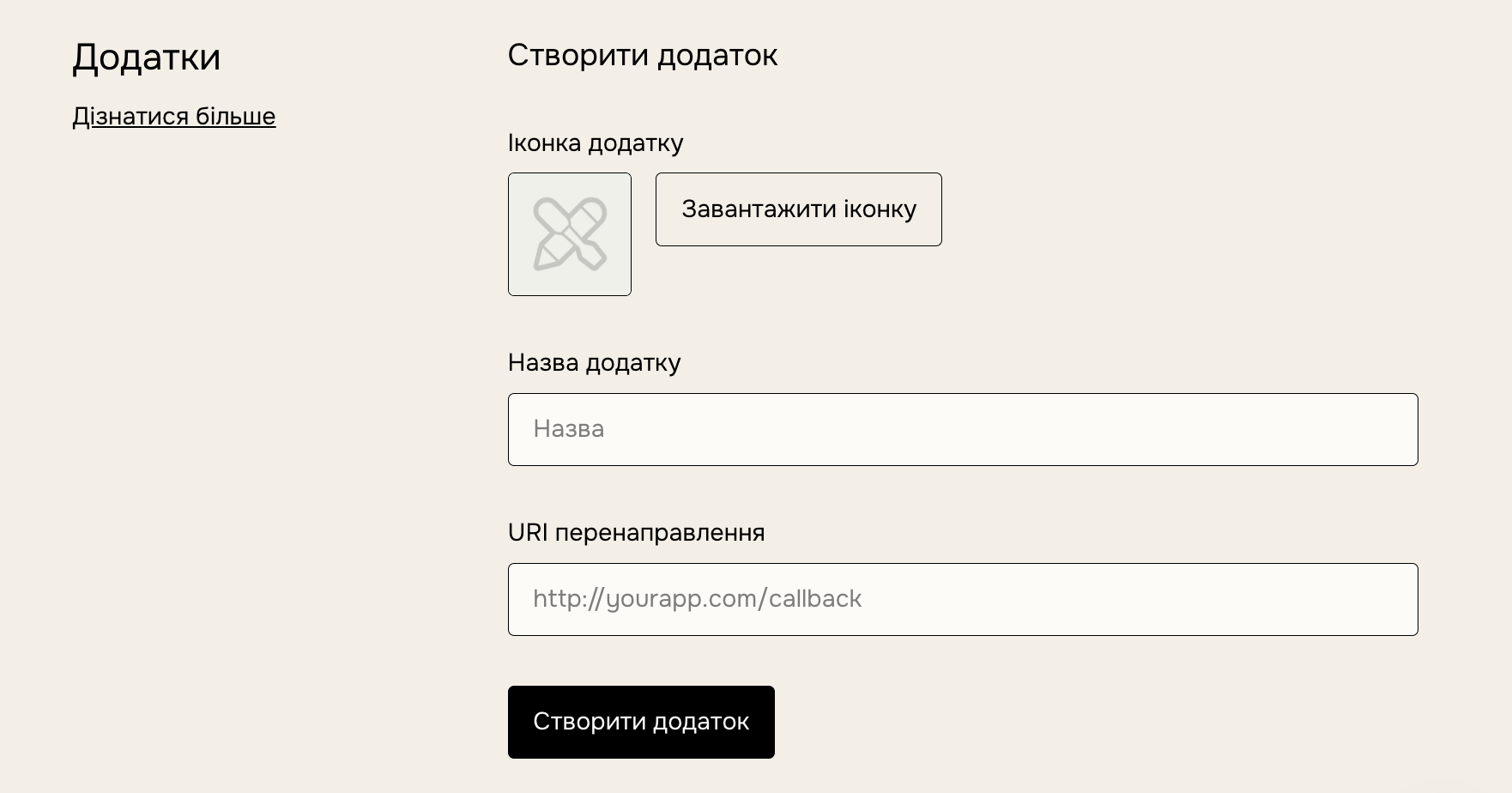
Provide the following information and click "Create application":
- Application icon: A small thumbnail image to identify your application.
- Application name: A name for your application
- Redirect URI: While this is very important when making a general-purpose application, when you just want an access token to use the API with your own account, simply enter localhost (http://127.0.0.1) in this field, as its value is not meaningful.
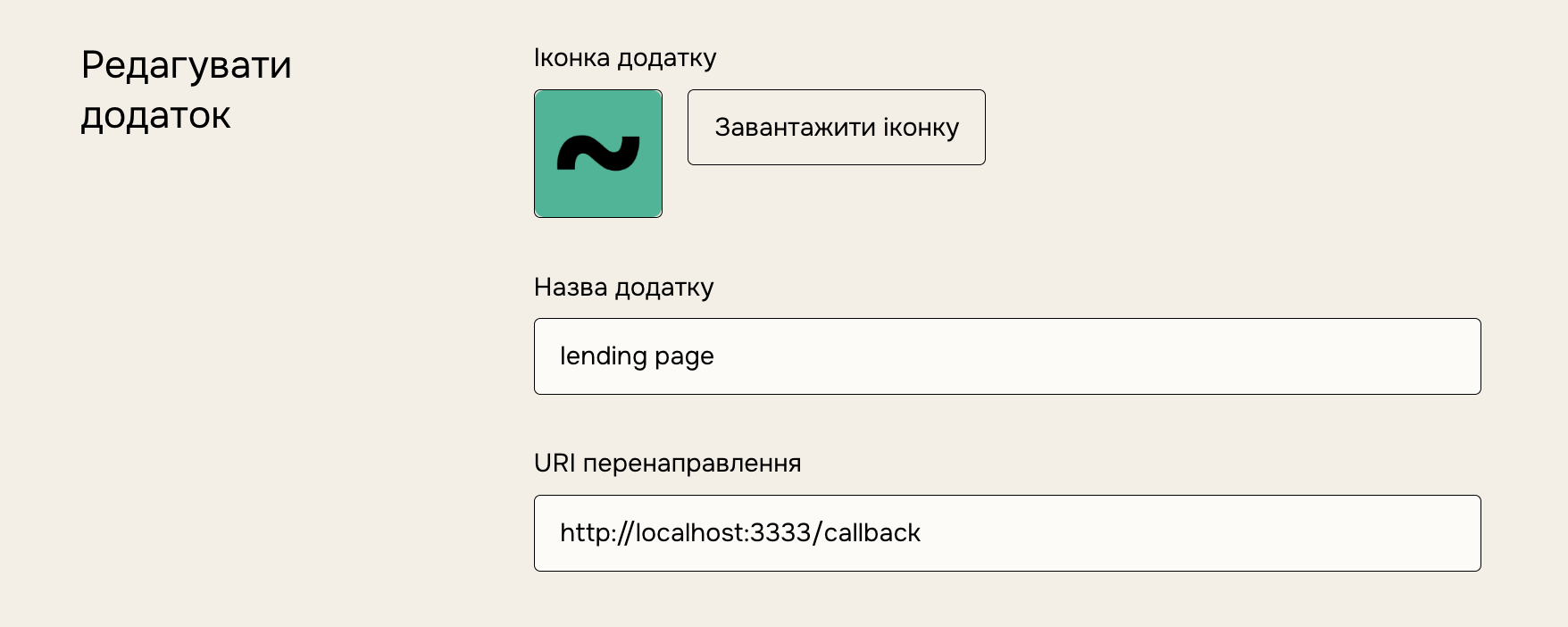
Keep the application ID and secret values safe and confidential, but they are not necessary for manually generating an access token. Instead, use the "Generate access token" button to get your access token.
Keep your access token safe and confidential, like a password. When you make an API call, include it in the request's header. Here's an example of a request with the access token (replace ACCESS_TOKEN with the string from your application):
curl https://api.blacksea.in.ua/v2/products \
-d "access_token=ACCESS_TOKEN" \
-X GET
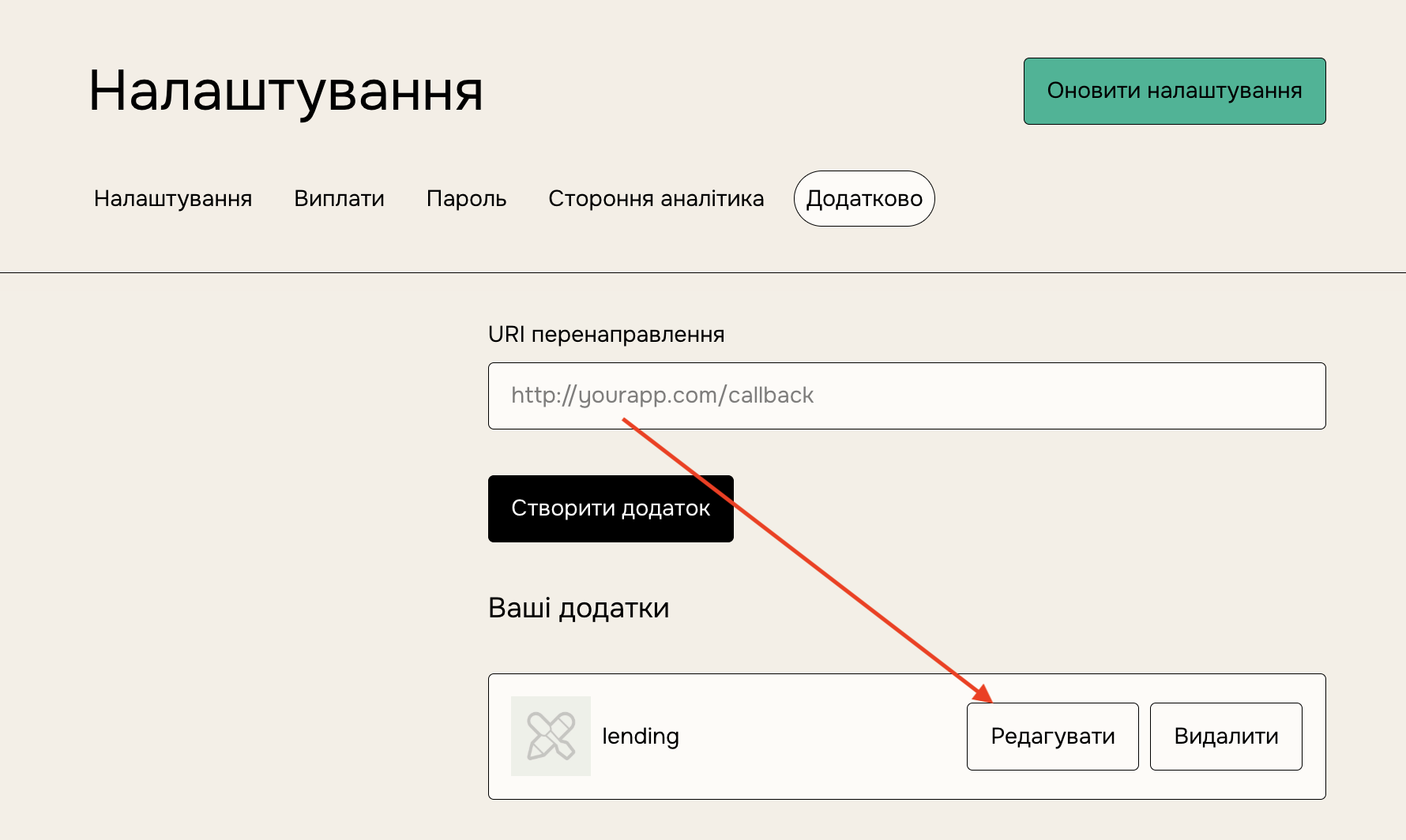
You can always edit your application or find your Access Token again through the advanced settings page.
While we also provide a refresh_token when authenticating a user, we do not expire the access_token until it is revoked manually.
With your access token in hand, head back to our API documentation for a list of endpoints the API makes available.