Help

Categories
License keys
In this article:
- What are license keys for?
- Setting up a product with license keys
- Managing keys
- Frequently asked questions
What are license keys for?
License keys give each buyer a unique license code. They're mostly used by creators who sell software, to issue customers a personal key for each purchase.
License keys do NOT restrict access to audio, video, or e-books you sell on BlackSea.
Currently, generating and issuing keys to buyers is available. Automatic key verification via API (for embedding in your app) is not yet available — you can verify a customer's key manually in their card on the Sales dashboard.
Setting up a product with license keys
License keys can be enabled and embedded directly from the product's content page. Open the content page, click the three-dot menu, and select "License key".
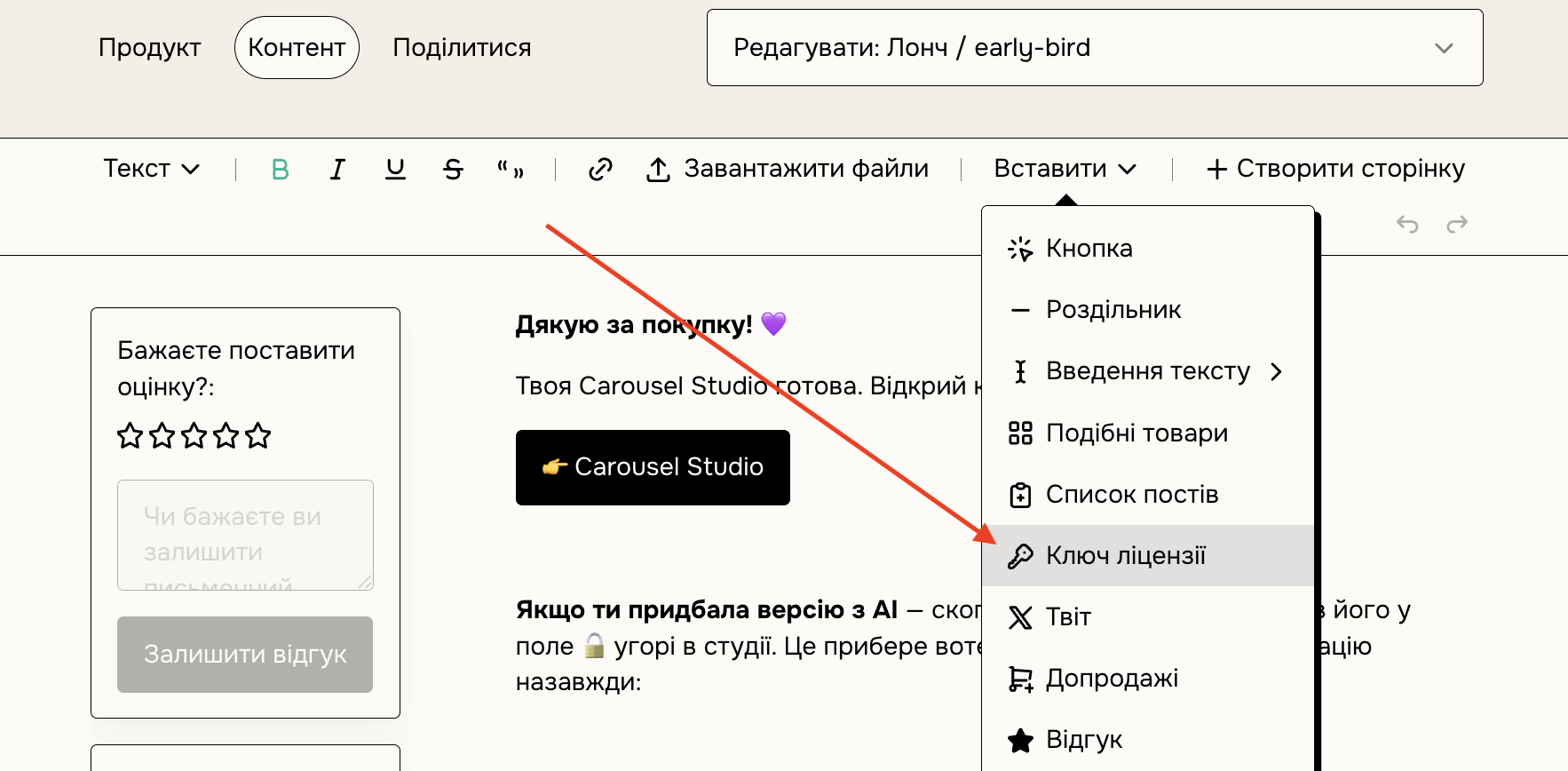
The license key module can be dragged around the page, but it can only be added to one content page.
When you enable "Generate a unique key for each sale", each buyer receives their own key, which they'll see on their download page. Keys can also be added to a product retroactively — in which case previous purchases will receive a key too.
Managing keys
You can view all issued keys in the customer's card on the Sales dashboard. From there, you can disable a key if you need to stop access. Disabling a key does not cancel the customer's subscription.
Frequently asked questions
- Can I use my own license keys? You can use the keys we generate, or keep your own outside our system. Importing your own keys is not possible.
- Can I generate keys for past purchases that didn't have them initially? Yes. When you enable "Generate a unique key for each sale", all previous purchases of that product will also receive a key — customers will find it on their download pages.
- Does disabling a key cancel the customer's subscription? No, only the key is disabled. Here's how to cancel a customer's subscription.