Help

Guide to memberships
In this article:
- What are memberships
- How to buy a membership
- How to access your membership
- Managing your membership
- Cancelling your membership
- Restarting a membership
- Changing tiers
- Adding a seat
- Fixed-length memberships
What are memberships
A membership is a recurring subscription to a product that lets creators offer recurring content such as courses, paid communities, newsletters, and much more. The billing frequency can be monthly, quarterly, biannual, or annual.
How to buy a membership
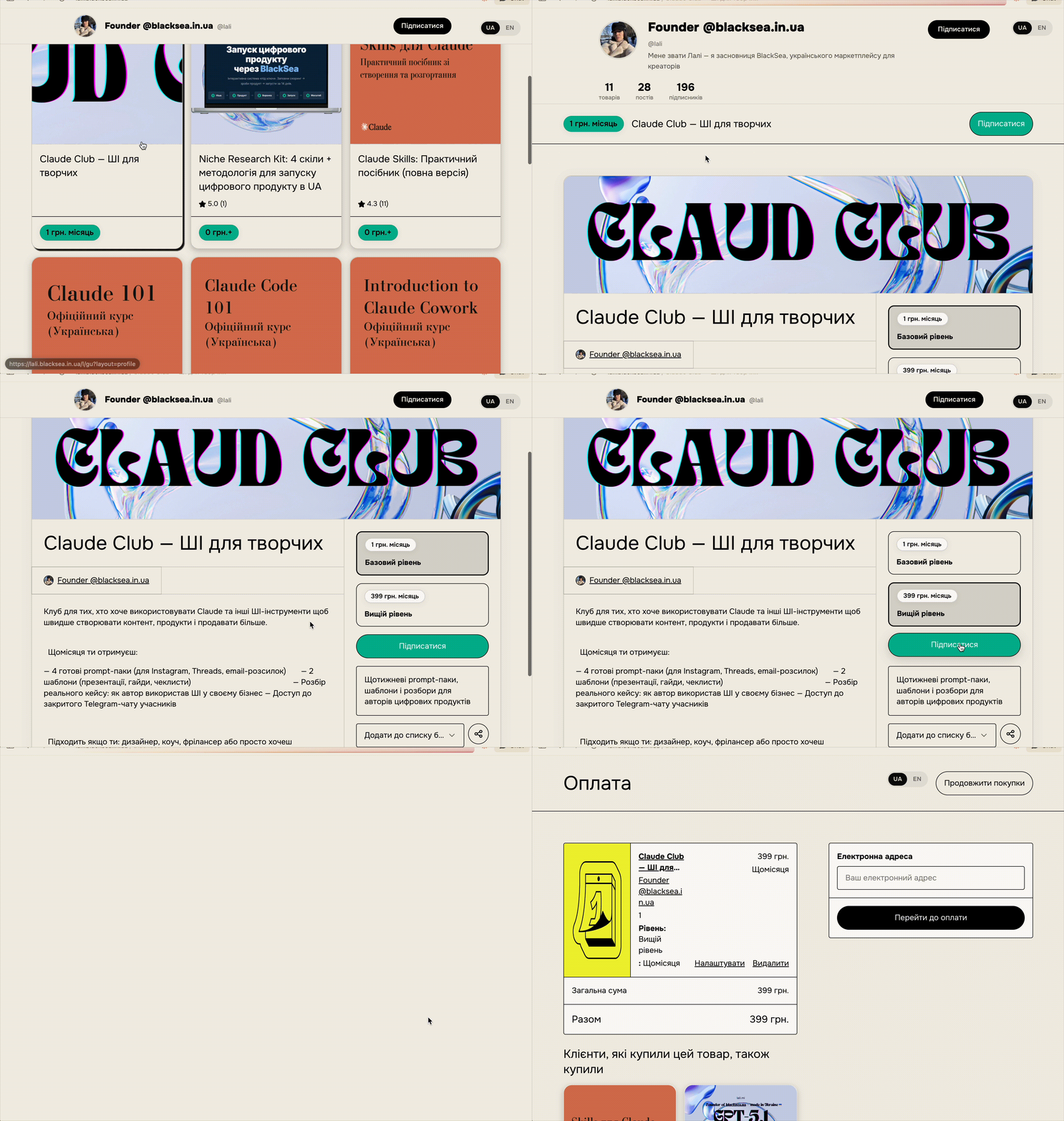
To buy a membership, go to the membership tab on the creator's profile page and choose a tier and billing frequency (some memberships will have only one tier). Click the "Subscribe" button and fill out the checkout form.
How to access your membership
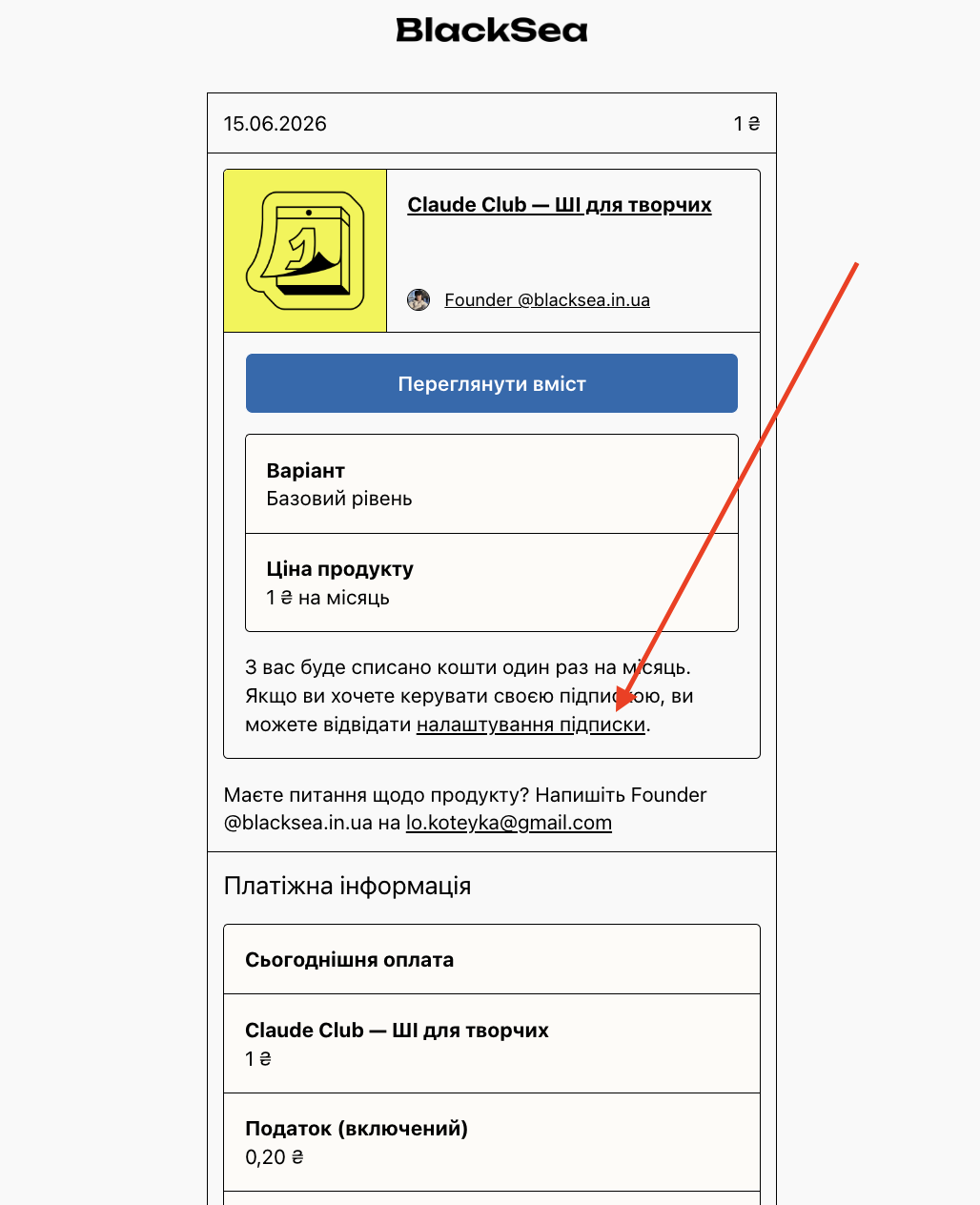
You can access your membership through your BlackSea Library, if you have an account, or through the "View content" button in the receipt sent by email.
Either of these two methods will take you to the download page, where you can view all content files in the membership and any posts made by the creator. You can also view or resend your original purchase receipt from there.
Managing your membership
You can change your payment method, tiers, or cancel your membership on the "Manage membership" page.
You can access this page by clicking "Subscription settings" in your purchase receipt or from your Library.
Be sure to click "Update membership" after you've finished making changes.
Cancelling your membership
The "Manage membership" page is also where you can cancel your membership. If you cancel, your membership will remain active until the end of the current billing cycle.
Read this article to learn more about cancelling a membership.
Restarting a membership
Regret cancelling your membership? Don't worry. You can restart your membership at any time on the "Manage membership" page. Just make sure your payment details are up to date, click "Restart membership", and you're all set.
Alternatively, you can always get a new iteration of the membership on the creator's profile page, but there may be price increases. Restarting an old membership, on the other hand, guarantees you only pay the amount you originally paid.
Changing tiers
For memberships with multiple tiers, you can change tiers or billing frequency at any time from the "Manage membership" area.
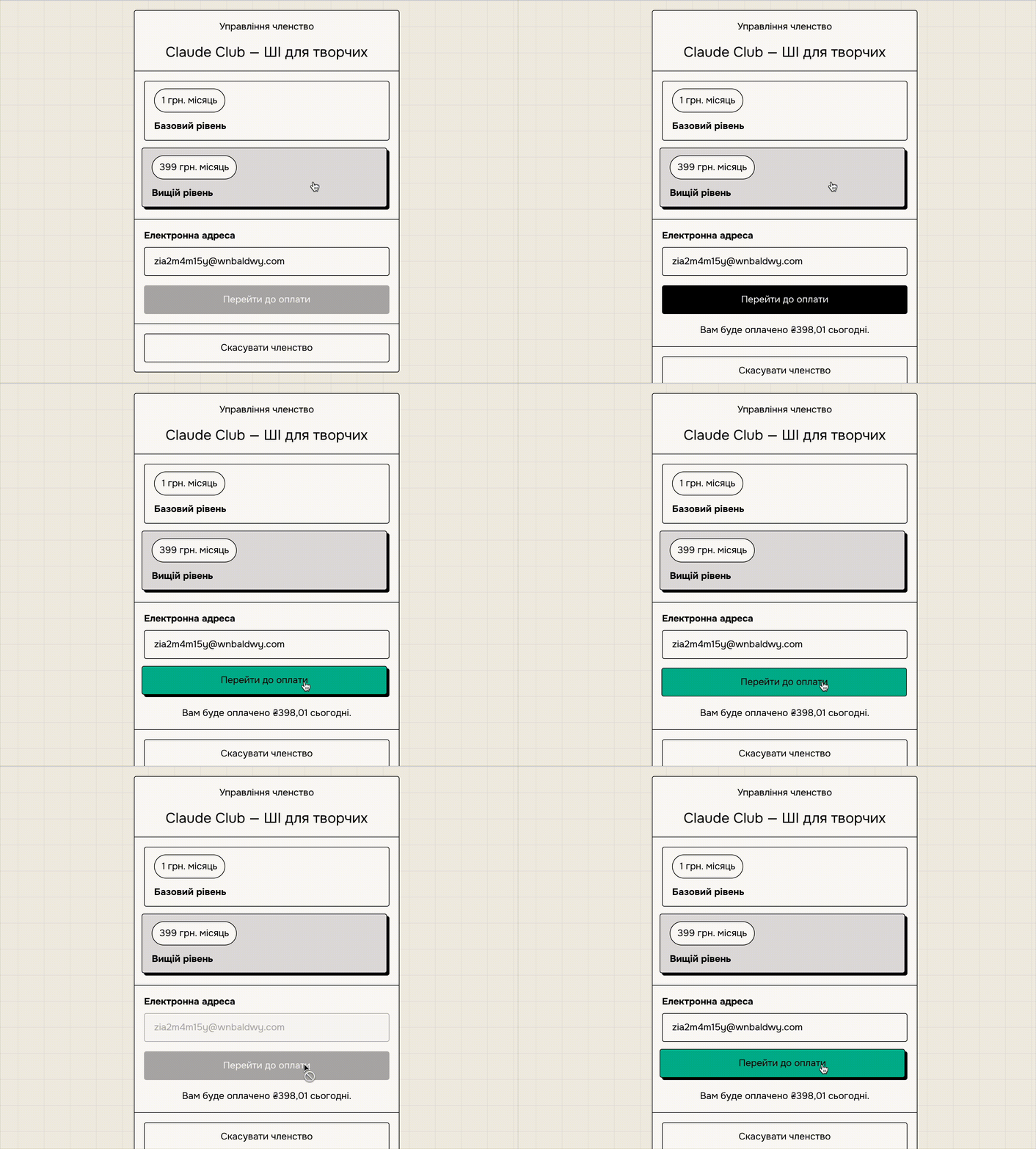
If you upgrade your membership to a higher tier, you'll be charged a "prorated" amount immediately. Because upgrading to a higher tier resets the membership's renewal date, this prorated payment covers the time between what would have been the next renewal date and the new renewal date.
For example, if you start a membership at 100 UAH per month on January 1, and then upgrade to a higher tier at 200 UAH per month on January 15, you'll be charged 197.5 UAH immediately. This accounts for the upgrade for the rest of January plus the unpaid 15 days until the next payment on February 15. The 15th of each month will now be your renewal date.
If you upgrade from a monthly to an annual membership, you'll receive a discount for the remaining membership period, which will be deducted from your new rate.
Here's an example: If you've been using a 100 UAH per month membership for a week and upgrade to a 100 UAH per year membership, you'll receive a discount equal to the remaining 3/4 of your subscription for 1000 UAH, or 75 UAH. So you'll be charged 1000 UAH − 75 = 925 UAH for the annual membership. This discount is calculated as of the end of the current day, not the exact current time. So the amount won't change if you, say, refresh the page after 5 minutes, but it will change if you try the next day.
You'll receive a receipt for this change in your email, and the membership renewal date will be updated to the upgrade date.
If you switch to a less expensive tier or plan, the tier won't be updated immediately. Instead, we'll wait until the end of your billing cycle to change it.
Adding a seat
Adding a seat to a membership works the same way as upgrading to a higher tier, as described in the section above. When you add a seat/seats, you'll be charged a "prorated" amount immediately to cover the time between the original and new renewal dates.
If you remove a seat from your membership, your membership price will be updated at the end of the billing cycle.
Fixed-length memberships
Some memberships will have a fixed length. An example of this is a course that a creator offers for a length of 1 year. After all the content has been delivered, your membership will be automatically cancelled.